

If Boris FX Continuum displays a "Could Not Load Library: sx32w.dll" error, the plugin may be unable to find or load one of the DLL files it depends on. This problem can be caused by a damaged plugin installation, missing DLL components, outdated graphics drivers, permission restrictions, or incorrect Windows path settings. This guide explains several practical ways to fix sx32w.dll errors, including repairing DLL and driver problems with Driver Talent, reinstalling Boris FX Continuum, restoring the required DLL from trusted sources, updating GPU drivers, running the host application as administrator, and checking Windows environment variables.
1. Reinstall Boris FX Continuum
Uninstall the plugin via Control Panel > Programs & Features.
Download the latest version from the official Boris FX website.
Install it and check if the error persists.
2. Restore or Download the Missing DLL
Check if sx32w.dll exists in the plugin folder (usually C:\Program Files\BorisFX\Continuum).
If missing, download the official DLL from a trusted source or extract it from the installer.
Place it in the plugin folder or C:\Windows\System32 (for 32-bit) or C:\Windows\SysWOW64 (for 64-bit).
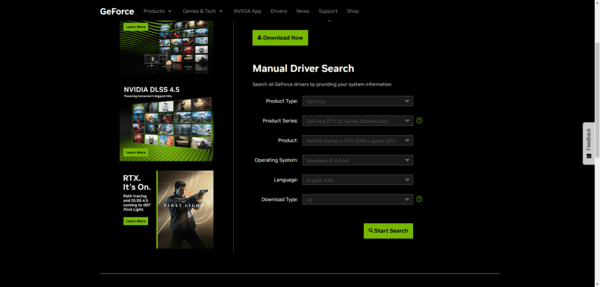
3. Update Graphics Drivers
Outdated GPU drivers can prevent DLLs from loading correctly.
Use Driver Talent or your GPU manufacturer's website (NVIDIA/AMD/Intel) to update drivers.
Restart your PC and test the plugin.
4. Run as Administrator
Sometimes permission issues block DLL loading.
Right-click the host application (After Effects, Premiere, etc.) → Run as Administrator.
5. Check System Path
Press Win + R, type sysdm.cpl, and hit Enter.
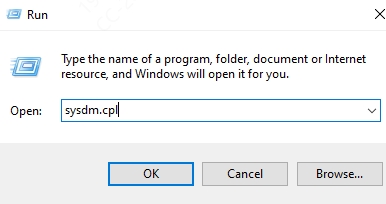
Go to Advanced > Environment Variables > Path.
Ensure the folder containing sx32w.dll is listed.
6. Using Driver Talent
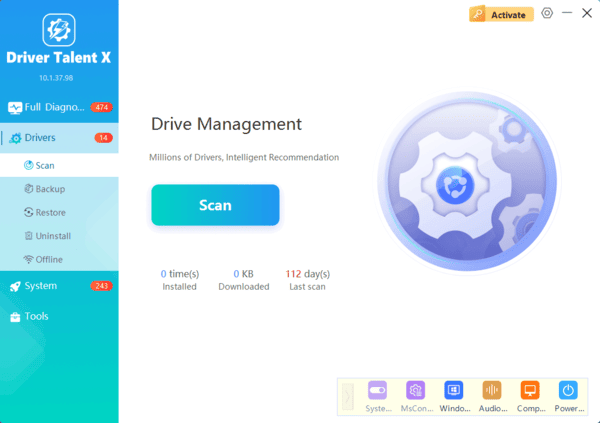
Driver Talent can automatically detect missing or corrupted DLLs, including sx32w.dll, and repair them in one click.
Steps:
Download and install Driver Talent from the official website.
Click Scan – the software will identify missing or faulty DLLs.
Locate sx32w.dll in the list and click Repair.
Restart your computer and relaunch Boris FX Continuum.
FAQ
Q1: Can I download sx32w.dll from any website?
No. Only download DLLs from official or trusted sources. Random DLL sites may contain malware.
Q2: Does Driver Talent work for 64-bit and 32-bit systems?
Yes. Driver Talent automatically detects your system type and repairs DLLs or drivers accordingly.
Q3: Why did this error happen suddenly?
It can occur after a Windows update, plugin update, or GPU driver change that removed or corrupted the DLL.
Conclusion
The "Could Not Load Library: sx32w.dll" error is usually related to a damaged Boris FX Continuum installation, missing plugin files, permission restrictions, or incompatible system components. Start by reinstalling Continuum from the official Boris FX source, then check administrator permissions and update the graphics driver. Driver Talent can also help identify related DLL or driver problems. Avoid downloading sx32w.dll from unknown websites or placing unverified files in Windows system folders, as this may create security and compatibility risks.
