

This article explains what mfc100u.dll is, why it goes missing, and provides 5 fixes including using Driver Talent to automatically repair the DLL, reinstalling the Microsoft Visual C++ 2010 Redistributable, updating GPU drivers, running the SFC system scan, and reinstalling the affected game or program.
Common Causes of mfc100u.dll Errors
Here are the most frequent reasons why Windows or games complain about mfc100u.dll:
File missing or accidentally deleted
Corrupted system files after a crash or malware infection
Outdated or broken Visual C++ Redistributable 2010
Game-specific conflicts, especially mods or unofficial patches
Outdated GPU drivers leading to crashes during gameplay
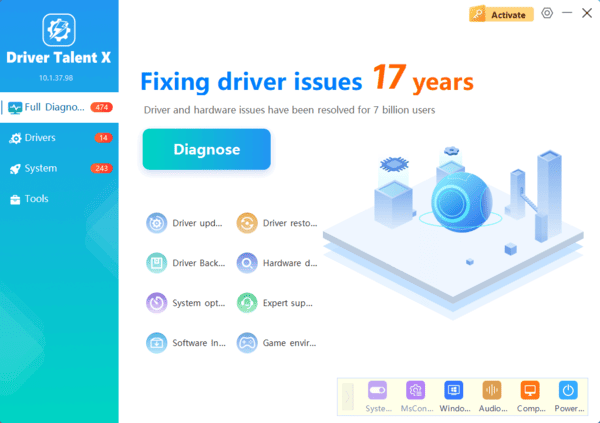
Repair with Driver Talent
Manually downloading DLL files from random sites is risky — you might end up with malware or the wrong version. With Driver Talent, you can:
Repair missing or corrupted DLL files automatically
Update outdated graphics, audio, and chipset drivers (common causes of gaming crashes)
Save time with one-click repair instead of chasing files online
Reinstall Microsoft Visual C++ Redistributable 2010
Go to the official Microsoft Download Center.
Download Microsoft Visual C++ 2010 Redistributable (x86 or x64) depending on your Windows version.
Install it and restart your computer.
Try launching the game or program again.

Update Your GPU Drivers
Open Device Manager (press Win + X → Device Manager).
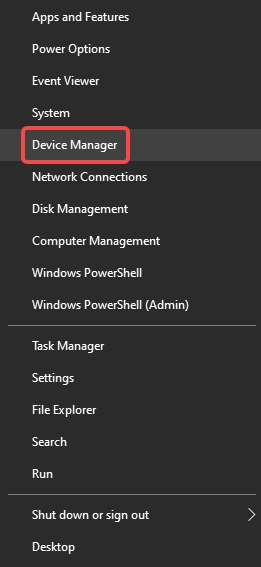
Expand Display adapters.
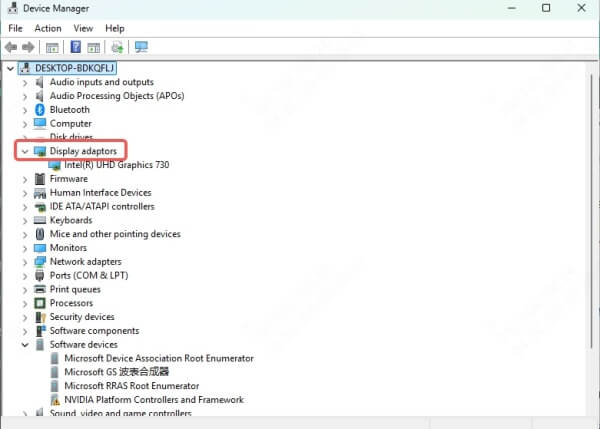
Right-click your GPU (NVIDIA, AMD, or Intel) → Update driver.
Follow on-screen instructions.
If this feels complicated, Driver Talent can update all your drivers in one click.
Solution 4: Run System File Checker (SFC)
Purpose: Fix corrupted or missing system files automatically.
Pros: Built into Windows, no extra software needed.
Cons: May not repair third-party DLL issues.
Steps:
Type cmd in the Windows search bar.
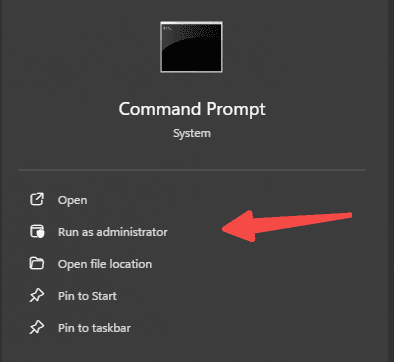
Right-click Command Prompt → Run as administrator.
Enter the command: sfc /scannow
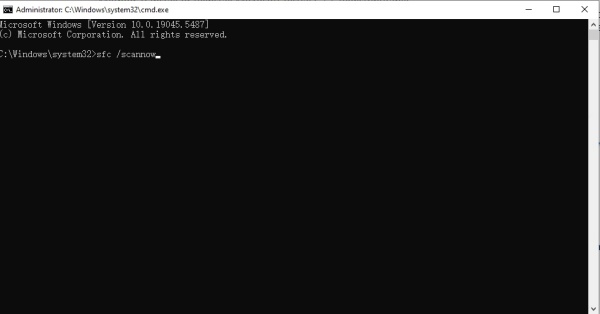
Wait for the scan to finish and follow instructions.
Solution 5: Reinstall the Game or Program
Purpose: Restore the DLL within the game''s local folder.
Pros: Ensures a clean setup.
Cons: Time-consuming, large downloads.
Steps:
Back up your save files (important for games).
Uninstall the affected game/program.
Reinstall it from Steam, Epic Games, or the official installer.
Gaming-Specific Issues with mfc100u.dll
Many gamers report random crashes when mfc100u.dll is broken:
Skyrim SE: Mods depending on Visual C++ fail to load.
GTA V: Crashes during cutscenes if DLL is missing.
FiveM: Multiplayer mod for GTA V often throws "nvgpucomp64.dll destroyfinalizer" or mfc100u.dll not found errors due to missing libraries2E
For these cases, the best fix is a combination of reinstalling Visual C++ Redistributable and using Driver Talent to update both DLLs and GPU drivers.
What to Do If Nothing Works
If you''ve tried all the above and still see errors:
Run a Windows Update to ensure system compatibility
Perform a System Restore to roll back to a working state
As a last resort, consider a clean Windows reinstall
