

If Windows reports that ucrtbase.dll or ucrtbased.dll is missing, damaged, or unable to load, the affected application may crash at startup or fail to run correctly. Although both files belong to Microsoft’s Universal C Runtime, ucrtbase.dll is used by normal applications, while ucrtbased.dll is mainly associated with development and debugging environments such as Visual Studio. This guide explains several practical ways to fix these errors.
What is ucrtbase.dll?
The ucrtbase.dll file is a critical component of the Microsoft Visual C++ Redistributable library. It helps Windows applications execute basic C runtime functions. When this file is missing or damaged, you may encounter error messages such as:
"ucrtbase.dll is missing from your computer."
"The program can’t start because ucrtbase.dll was not found."
"Error loading ucrtbase.dll."
Such messages usually appear after installing or launching programs that rely on the Universal C Runtime.
Common Causes of ucrtbase.dll and ucrtbased.dll Errors
DLL errors can appear due to several underlying issues. Some of the most frequent causes include:
Corrupted or deleted DLL files.
Incomplete installation of Microsoft Visual C++ Redistributables.
Malware infections or system corruption.
Outdated or damaged device drivers.
Manual deletion or registry corruption.
Fix ucrtbase.dll Missing Error
Fixing ucrtbase.dll errors requires reinstalling the necessary runtime libraries or restoring corrupted files. Below are the proven methods:
1. Reinstall Microsoft Visual C++ Redistributables
The ucrtbase.dll file is bundled with the Visual C++ Redistributables. To fix errors:
Open the official Microsoft Download Center
Download the latest version of Visual C++ Redistributables (x86 and x64).
Install them and restart your computer.

This method restores the missing DLL file to your system.
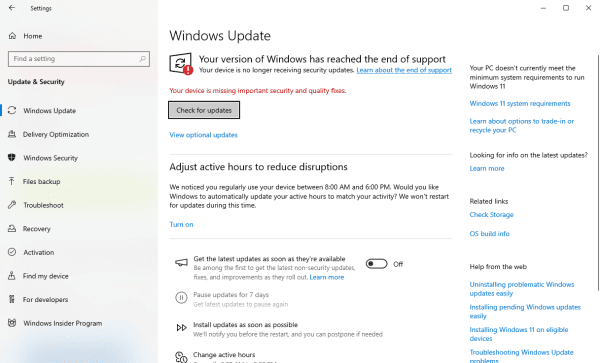
2. Run Windows Update
Microsoft often releases patches and updates that include system files. Keeping Windows updated ensures missing ucrtbase.dll issues are resolved automatically.
3. Use System File Checker (SFC Scan)
The SFC tool repairs corrupted or missing DLLs.
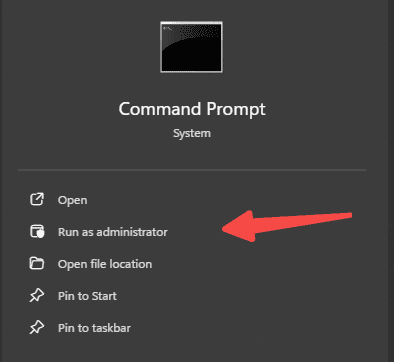
Open Command Prompt as administrator.
Type: sfc /scannow
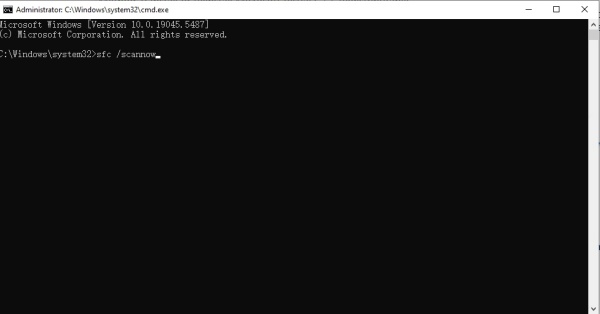
Wait for the scan to finish and restart your PC.
4. Use Driver Talent
One of the most reliable solutions is using Driver Talent, a professional tool that not only updates drivers but also includes a DLL repair feature. With Driver Talent, you can:
Scan your PC for missing DLL files, including ucrtbase.dll and ucrtbased.dll.
Automatically download and restore corrupted system files.
Update outdated device drivers to prevent future DLL errors.
Steps to fix using Driver Talent:
Download and install Driver Talent.
Launch the program and run a full scan.
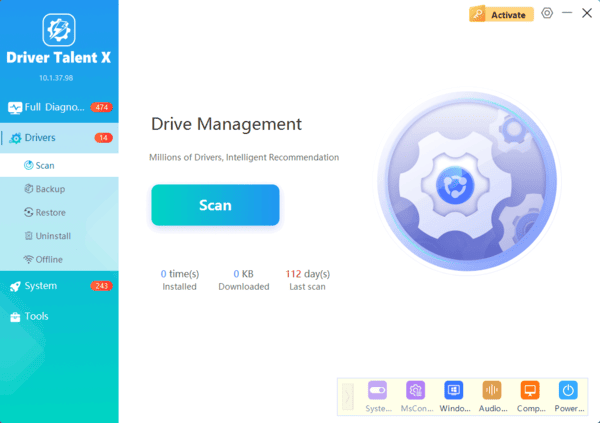
Navigate to the DLL repair section and select ucrtbase.dll or ucrtbased.dll.
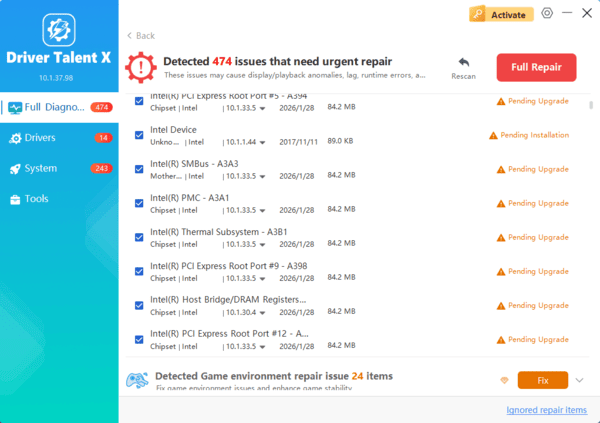
Repair the missing DLLs and restart your system.
This eliminates manual searching and ensures the file is restored safely.
Frequently Asked Questions
What is the difference between ucrtbase.dll and ucrtbased.dll?
ucrtbase.dll is the release-version Universal C Runtime used by normal Windows applications. ucrtbased.dll is a debug runtime intended for software development and testing.
Will installing Visual C++ Redistributable restore ucrtbased.dll?
Usually not. The debug runtime is not distributed for regular end users. Developers should install or repair the appropriate Visual Studio C++ workload or Windows SDK instead.
Why does an application request ucrtbased.dll on a normal PC?
The developer may have accidentally released a debug build. Contact the application publisher for a proper release build because copying the debug DLL into Windows is not a reliable solution.
Conclusion
Both ucrtbase.dll and ucrtbased.dll are vital for running applications and development environments. Missing or corrupted DLLs can halt productivity and disrupt software performance.
While manual methods like reinstalling redistributables or using SFC scans may help, the most efficient solution is Driver Talent. Its DLL error fix feature allows users to quickly restore missing files, update outdated drivers, and keep Windows stable without complex troubleshooting.
For anyone facing ucrtbase.dll missing, ucrtbased.dll errors, or seeking a safe ucrtbased.dll download, Driver Talent offers a comprehensive, automated fix that ensures system reliability.
