The Razer Viper V3 Pro SE delivers excellent performance for competitive gaming, but proper configuration is essential to unlock its full potential. Incorrect DPI, polling rate, button settings, or outdated system drivers can affect accuracy, responsiveness, and wireless stability. This guide explains how to optimize Razer Viper V3 Pro SE settings, including DPI adjustment, polling rate, customization, sensor calibration, battery management, and driver optimization for a smoother gaming experience.
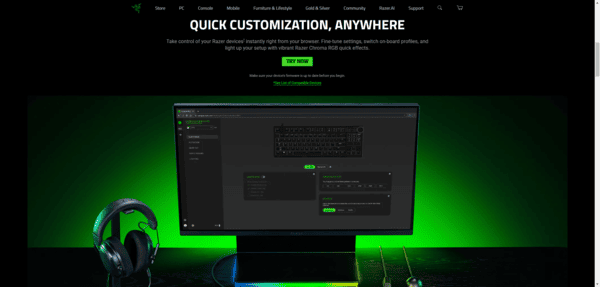
Step 1: Install Razer Synapse
Before adjusting any settings, make sure you have Razer Synapse installed:
Download Synapse from the Razer official website
Launch the software and ensure your Viper V3 Pro SE is recognized
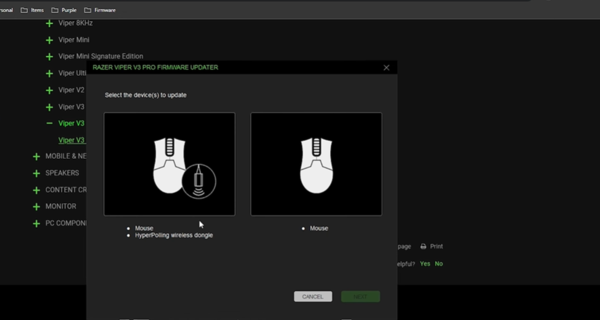
Check for firmware updates for your mouse; keeping it up to date ensures optimal performance
Pro tip: Synapse also lets you save profiles for different games, making it easy to switch between setups.
Step 2: DPI Settings
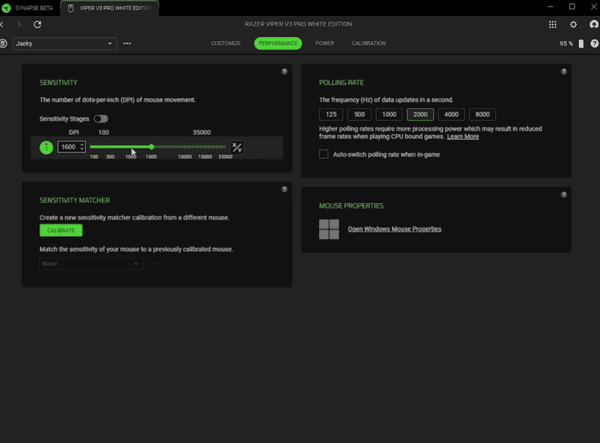
DPI (dots per inch) determines how far the cursor moves relative to your physical mouse movement:
FPS Games: 800–1600 DPI is ideal for precision aiming
MOBA/MMORPG: 1000–2000 DPI offers faster navigation
Step-by-step: In Synapse → Performance → Adjust DPI stages → Save settings
Setting the correct DPI is crucial for accuracy without sacrificing speed
Step 3: Polling Rate
Polling rate is how often your mouse reports its position to the PC:
Recommended: 1000 Hz for competitive play
How to adjust: Synapse → Performance → Polling Rate → Select 1000 Hz
Higher polling rates reduce input lag, giving you faster reactions in-game
Step 4: Button Customization
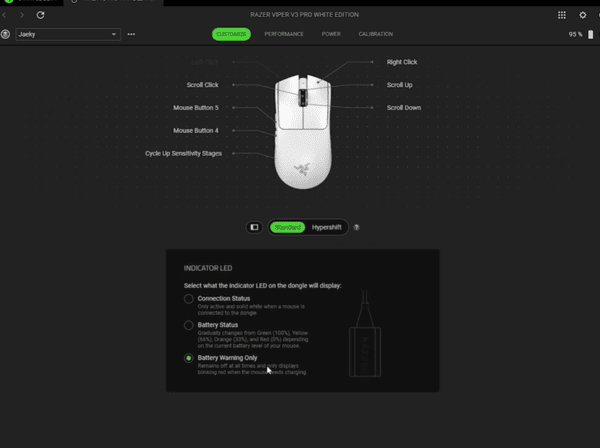
Razer Viper V3 Pro SE has programmable buttons to enhance your gameplay:
Open Synapse → Customize tab
Assign keys, macros, or in-game actions to buttons
Avoid assigning too many functions to a single button; keep essential actions easily accessible
Example: Map the side buttons for melee or reload in FPS games.
Step 5: Sensitivity and Acceleration
Precision is key for competitive gaming:
Turn off mouse acceleration in Synapse and Windows settings
Adjust sensitivity according to your comfort and mousepad size
Fine-tune in-game sensitivity to match your real-life movement
This combination ensures predictable, consistent aim and motion tracking
Step 6: Lighting and RGB Settings
Razer's Chroma RGB allows you to customize lighting:
Open Synapse → Lighting → Choose effect or static color
For competitive play, minimal lighting is recommended to avoid distractions
Sync lighting with other Razer devices if desired
Subtle lighting helps you focus while still keeping a sleek gaming aesthetic
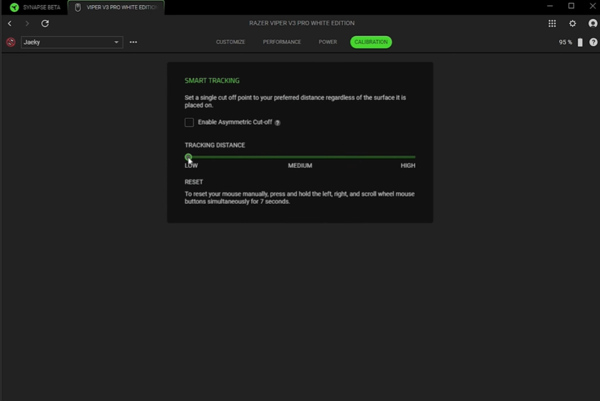
Step 7: Surface Calibration
Optimizing sensor tracking with your mousepad is critical:
Synapse → Performance → Surface Calibration
Follow prompts to calibrate for your mousepad
Ensure maximum precision and sensor accuracy
Step 8: Battery and Wireless Settings
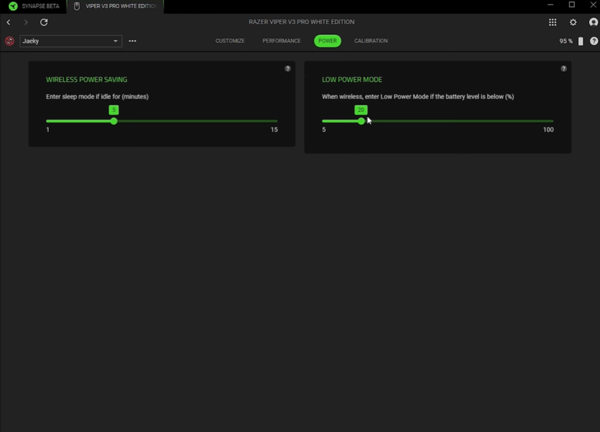
For uninterrupted wireless performance:
Fully charge the mouse before extended sessions
Enable power-saving modes in Synapse if needed
Check connection stability; avoid USB hubs if possible
A stable connection prevents input lag or random disconnections during gameplay
Step 9: Optional—Update Driver for System Optimization
While Synapse manages your mouse settings and firmware, system drivers also matter. Outdated USB or chipset drivers can interfere with wireless mouse performance.
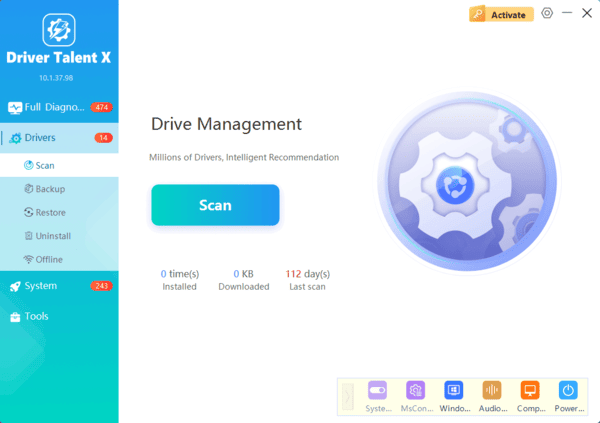
Download and install Driver Talent X
Launch it and click Diagnose to scan for missing or outdated drivers
Click Repair or Update All to automatically install the latest USB, chipset, and peripheral drivers
Restart your PC before gaming
Keeping drivers up to date ensures smooth tracking, reduces lag, and avoids potential connectivity issues with your Viper V3 Pro SE.
Recommended Pro Settings Summary
DPI: 800–1600 (FPS) / 1000–2000 (MOBA/MMORPG)
Polling Rate: 1000 Hz
Mouse Acceleration: Off
Side Buttons: Map essential actions or macros
Lighting: Minimal or static for focus
Surface Calibration: Yes, match your mousepad
Battery: Fully charged, stable USB connection
Remember, personal comfort is important. These settings provide a strong starting point, but feel free to tweak based on your playstyle.