The Wooting 60HE series redefined gaming keyboards with magnetic Hall Effect switches, true analog input, adjustable actuation down to 0.1mm, and game-changing Rapid Trigger technology. In late 2025, Wooting released the 60HE V2 — a substantial evolution with premium materials, refined switches, dramatically improved acoustics, true 8K polling rate, and easier modding. This comparison breaks down the key differences, real-world performance, and helps you decide whether to stick with (or hunt down) the original or jump to the V2.
At a Glance / Quick Specs Comparison
Case Material
Original: Plastic chassis
V2: Full aluminum alloy for added rigidity and premium feel
Weight
Original: Approximately 650–700g
V2: Around 960g
Polling Rate
Original: Fixed at 1000Hz
V2: Up to true 8000Hz
Switches
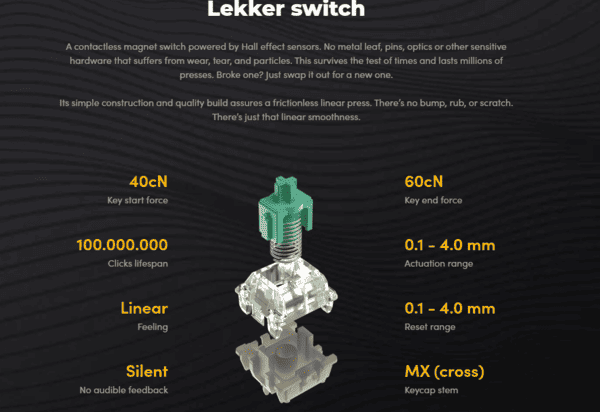
Original: Lekker Linear magnetic Hall Effect switches
V2: New Lekker Tikken switches
Build & Modding
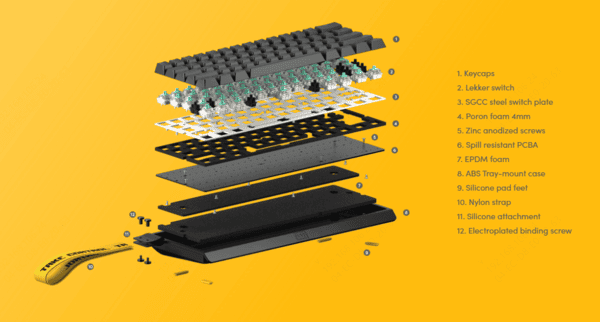
Original: Solid but uses screw-based assembly
V2: Pressure-fit, tool-less module design for easy switch swaps and repairs
Sound Profile (Stock)
Original: Decent but often needs mods for deeper thock
V2: Significantly improved factory dampening and acoustics
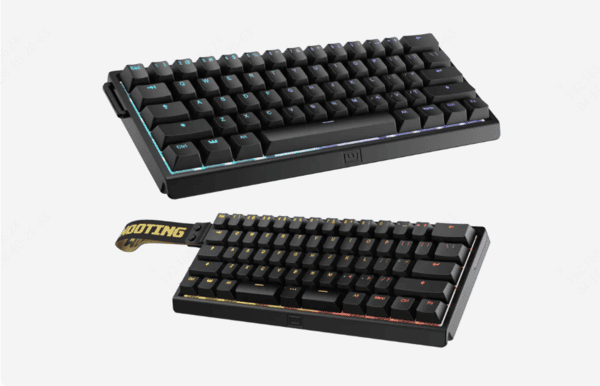
Key Features
Both: Rapid Trigger, analog input, 0.1–4.0mm per-key actuation, dynamic keystrokes
V2 adds: Refined calibration, better out-of-box experience
Price (approximate in 2026)
Original: $150–180 (used, resale, or leftover stock)
V2: $239.99 retail (Founders pricing may be lower during campaigns)
Availability
Original: Mostly discontinued, limited new stock
V2: Currently available (pre-order to shipping phase)
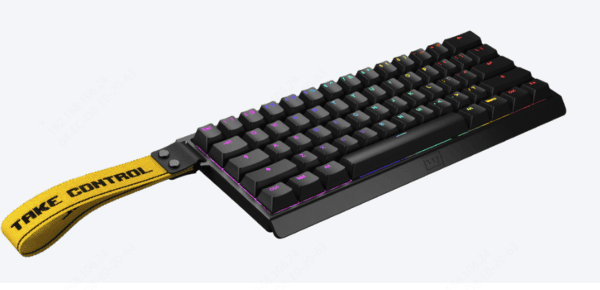
Design & Build Quality
The original 60HE uses a sturdy plastic case that's lightweight and portable but feels entry-level compared to 2025 standards. It has minimal flex and decent sound dampening, but many users mod it heavily (tape, foam, switch changes) to reach "endgame" sound
The 60HE V2 steps up massively with a full aluminum alloy chassis. This adds weight and premium rigidity—no creaks, better resonance control, and a more satisfying typing/gaming feel. The biggest innovation is the pressure-fit, tool-less design: the internals module pops out easily for switch swaps or repairs without screws. Factory sound dampening is significantly better, making the V2 feel closer to a modded original out of the box
Stabilizers are screw-in on both, but V2 includes improved factory PBT keycaps and better overall finish
Switches & Hall Effect Performance
Both use magnetic Hall Effect switches for adjustable actuation (0.1–4.0mm), Rapid Trigger, dynamic keystrokes, and analog movement
Original Lekker Linear switches — Smooth and fast, but open design leads to higher-pitched, hollow sound stock
New Lekker Tikken switches (V2) — Closed-bottom housing reduces ping and echo, improves bottom-out feel, and delivers a deeper, more "thocky" sound profile right away. Durability and smoothness remain excellent
Rapid Trigger implementation is virtually identical and elite on both — counter-strafing in CS2 feels instant. V2 has slightly refined calibration and sensor response thanks to hardware tweaks
Polling Rate & Connectivity
Original: Locked at 1000Hz — more than enough for 99% of players; latency is already sub-1ms end-to-end
V2: True 8000Hz polling — theoretically lower input lag and smoother cursor movement in high-refresh-rate setups
In real tests (2026 reviews), the jump from 1K to 8K is subtle — most notice it only in ultra-competitive scenarios or with 360Hz+ monitors. Both are wired-only (no wireless), with rock-solid USB-C connection
Wootility software is the same excellent platform on both: profiles, macros, per-key actuation curves, SOCD, etc. V2 benefits from any post-launch firmware updates
Typing & Gaming Experience
Typing:
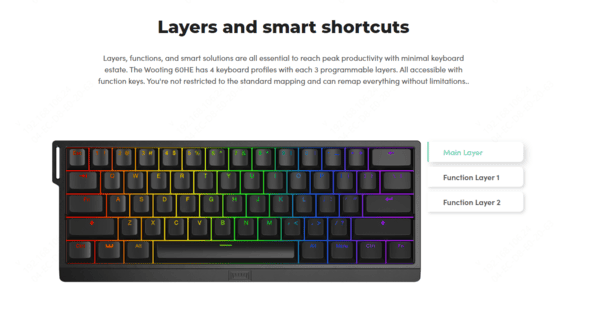
V2 wins hands-down. The aluminum case + closed switches + factory dampening create a premium, deep thock with minimal ping Original is good but often requires mods (poron foam, tape) to match
Gaming:
Rapid Trigger & low actuation shine equally — god-tier for tac-shooters (instant stop-start movement)
Analog input useful in flight sims or racing games
V2's 8K feels marginally snappier on high-end rigs, but original 60HE is still top-tier in 2026
Fatigue is low on both during long sessions; heavier V2 feels more planted on desk
Update Your Drivers Maximize Keyboard Performance
To get the best performance out of your Wooting 60HE (or 60HE V2), it's crucial that your system and keyboards drivers are up-to-date. Outdated drivers can cause issues like input lag, unresponsiveness, or poor performance, especially in fast-paced games.
Download and Install: Go to the official Driver Talent X website, download the software, and install it
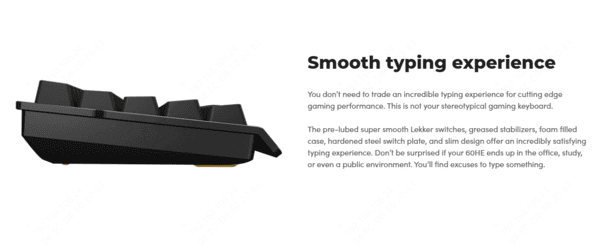
Scan Your System: Open Driver Talent X and click "Scan" to check your system for outdated drivers, including USB and keyboard drivers
Update Drivers: Once the scan is complete, click "Repair Now" to update all drivers automatically. This will ensure that your Wooting 60HE or 60HE V2 runs at peak performance
Restart and Play: After the update finishes, restart your computer to apply the changes, and you're ready for smoother gameplay with no disruptions
Using Driver Talent X makes sure you're always equipped with the latest updates, allowing you to enjoy your Wooting keyboard's full capabilities without performance hiccups
Software & Customization
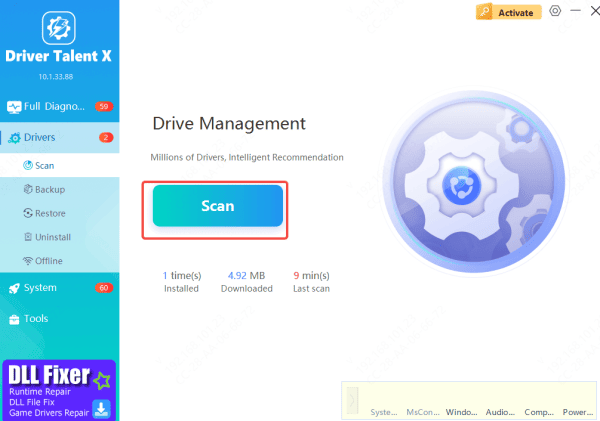
Wootility remains best-in-class: intuitive, powerful, no bloat. V2 gets the latest firmware with minor refinements (better sensor tuning, new modes)
Community mods (switch swaps, cases) are easier on V2 due to tool-less access
Conclusion & Recommendation
The Wooting 60HE V2 is objectively the better keyboard: superior build, acoustics, modding ease, and marginal performance gains. It cements Wooting's lead in the Hall Effect space. However, the original 60HE remains ridiculously capable — many pros still use it or the 60HE+ in 2026.