Keeping your AMD processor drivers updated is important for maintaining system performance, stability, and compatibility with modern applications. Outdated or incorrect drivers may cause issues such as system crashes, reduced CPU performance, software errors, or hardware detection problems. This guide explains several ways to update AMD processor drivers on Windows 11, including using AMD's official website, Windows Update, Device Manager, and automatic driver update tools like Driver Talent X. Whether you want to manually control the update process or prefer a faster automated solution, these methods can help keep your AMD system running smoothly.
Common Problems Caused by Outdated AMD Drivers
System instability or crashes, including Blue Screen of Death (BSOD)
Reduced CPU performance, with multiple cores not fully utilized
Application failures, especially for graphics-intensive or CPU-heavy software
Hardware recognition errors, where the processor may not be detected properly
Update AMD Processor Drivers Manually via AMD Official Website
For users who prefer full control over their updates, manually downloading the latest AMD processor or chipset drivers ensures compatibility and accuracy.
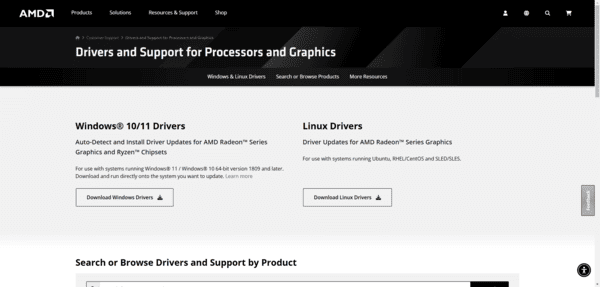
Visit the AMD Driver Support page
Navigate to Chipsets and select your specific processor or motherboard model
Choose your operating system, such as Windows 11
Download the latest WHQL-certified driver
Run the installer and follow the on-screen prompts
Restart your PC to apply the updates
Automatic Update Using Driver Talent X
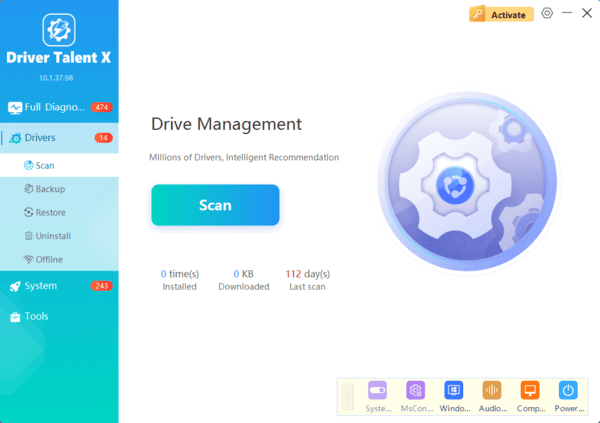
For a quick, safe, and automated solution, Driver Talent X can detect, repair, and update AMD drivers efficiently.
Download and install Driver Talent X from the official website
Open the software → click Drivers → Scan
Locate AMD processor drivers in the results
Click Repair / Update to install the latest driver version
Restart your computer
Updates via AMD Ryzen Radeonor
AMD provides official software tools like AMD Ryzen Radeonor to keep your system updated automatically.
Open AMD Ryzen Radeonor
Navigate to the Updates or Check for Updates section
If a new driver is available, click Download and Install
Restart your PC to complete the update
Update Drivers Using Windows Update
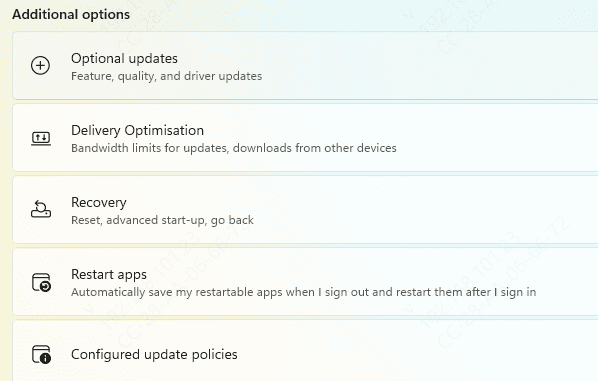
Windows Update can automatically detect compatible AMD drivers and install them safely.
Press Windows + I to open Settings → Windows Update
Click Check for Updates
If a driver update for your AMD processor appears, click Download and Install
Restart your PC to apply the changes
Manual Update via Device Manager
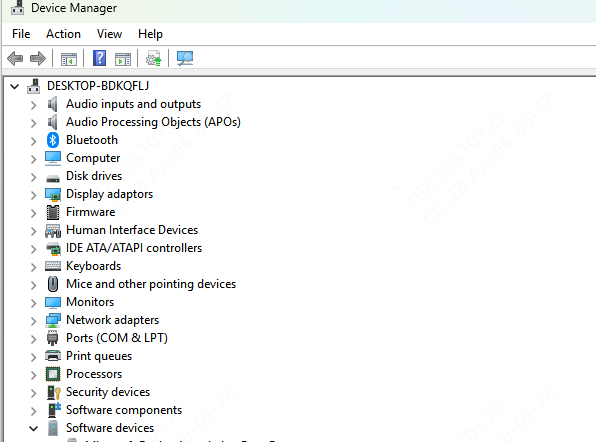
Device Manager allows you to manually update AMD processor drivers if automatic tools fail or for precise control.
Press Windows + X → Device Manager
Expand Processors → AMD Ryzen/EPYC CPU
Right-click and select Update driver → Search automatically for drivers
Follow on-screen instructions and restart your PC
Pro Tip: This method works well when diagnosing specific conflicts or verifying driver recognition
Tips to Maintain AMD Processor Drivers Long-Term
Regularly check for updates using AMD official software or Driver Talent X
Keep Windows OS and BIOS firmware updated for compatibility
Backup drivers before updates for easy rollback
Avoid unofficial third-party drivers to prevent conflicts
Enable automatic notifications in Driver Talent X for convenience
Keeping your AMD processor drivers updated is essential for system stability, performance optimization, and hardware compatibility. This guide covered multiple methods, including Windows Update, Device Manager, AMD official software, and automated updates using Driver Talent X. By following these simple steps, you can prevent system crashes, improve CPU performance, and maintain long-term stability. For a fast and reliable update experience, tools like Driver Talent X make managing AMD drivers effortless and safe.