Call of Duty: Modern Warfare Remastered brings the classic military shooter back with improved textures, enhanced lighting, and updated visual effects. While the game offers a familiar campaign and multiplayer experience, some PC players may encounter freezing, stuttering, or unusually long loading times.
The problem can appear in several ways. Your screen might stop responding during a mission, the game may freeze for a few seconds during combat, or a multiplayer match might become unplayable because of repeated interruptions.
Instead of changing random Windows settings, the best approach is to identify the type of freezing and test the most relevant solutions.
Solution 1: Preload Shaders Before Playing
Shaders help the graphics card render lighting, materials, and other visual effects. When the game needs to prepare shaders during gameplay, brief pauses may occur.
Activision has previously identified shader-related stuttering in the Steam version and recommended preloading shaders before playing.
If the game offers a shader preloading prompt, allow it to complete before starting a campaign mission or multiplayer match.
You can also check the graphics settings for shader-related options.
Solution 2: Update Your Graphics Drivers
Graphics drivers are responsible for communication between Windows, the GPU, and the game.
A damaged or incompatible driver may contribute to freezing, rendering errors, or unstable performance.
If Modern Warfare Remastered freezes repeatedly, checking the graphics driver is a reasonable step.
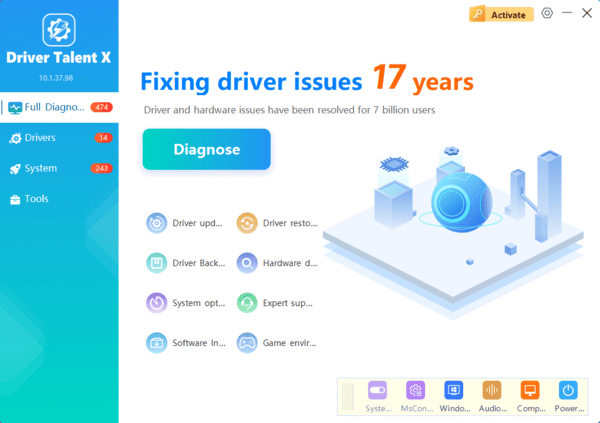
Update Drivers with Driver Talent X
Driver Talent X can help identify supported outdated, missing, or problematic device drivers on Windows.
This provides an additional way to investigate driver-related problems without manually searching for every device driver.
Update the Driver Manually
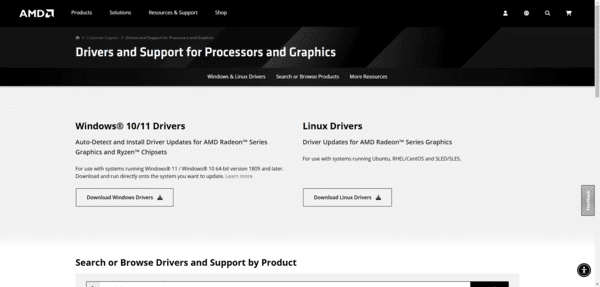
You can also download a graphics driver directly from NVIDIA, AMD, or Intel.
Solution 3: Verify the Game Installation
If Modern Warfare Remastered freezes while loading a mission or opening a multiplayer map, damaged game files may be responsible.
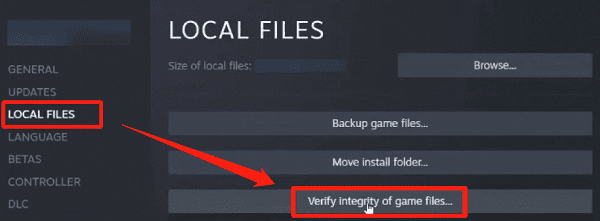
Steam includes a verification feature that checks installed files and replaces missing or corrupted content when necessary.
Open Steam.
Navigate to your Library.
Right-click Call of Duty: Modern Warfare Remastered.
Select Properties.
Open Installed Files.
Click Verify integrity of game files.
Solution 4: Adjust Graphics Settings for Smoother Frame Times
Start with texture quality, shadow settings, and other demanding effects.
If your graphics card has limited VRAM, avoid selecting texture settings that exceed its available memory.
You can also test a reasonable frame rate limit.
Do not change every option simultaneously.
Adjust one or two settings, test the game, and compare the results.
Solution 5: Check Background Applications and Disk Activity
Windows updates, browser tabs, recording software, and background downloads can consume CPU time, memory, or storage bandwidth.
These activities may contribute to temporary freezes.
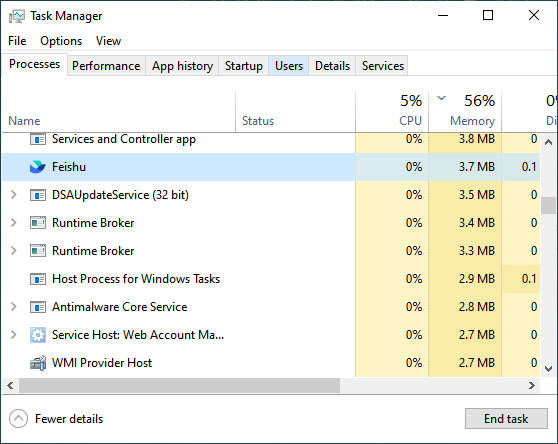
Press Ctrl + Shift + Esc to open Task Manager.
Select the Processes tab and examine CPU, Memory, and Disk usage.
Look for applications consuming unusually high resources while the game is running.
Close unnecessary programs before launching Modern Warfare Remastered.
If Steam is downloading another game or update, pause the download temporarily.
You should also check whether recording tools or overlays are interfering with gameplay.
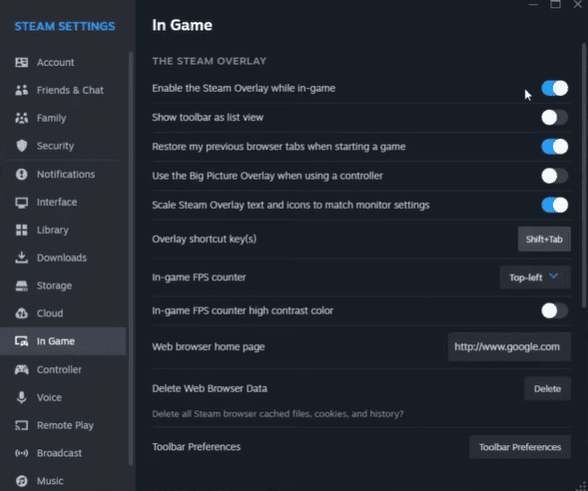
Temporarily disable Steam Overlay, Discord Overlay, and unnecessary recording utilities.
Frequently Asked Questions
How can I distinguish freezing from multiplayer lag?
A freeze interrupts local visuals or responsiveness. Network lag more often causes delayed actions, teleporting players, or rubber-banding while menus remain responsive. Testing the campaign can help narrow down the cause.
Will moving Modern Warfare Remastered to an SSD stop freezing?
An SSD may reduce loading times and pauses related to storage access. It will not necessarily fix shader preparation, driver conflicts, insufficient memory, or game bugs.
Should I repeatedly clear the shader cache to improve performance?
Usually, no. Clearing the cache forces shaders to rebuild and may temporarily increase stuttering. Consider it only when investigating suspected cache corruption or following specific support instructions.
Conclusion
To troubleshoot Modern Warfare Remastered freezing on PC, preload shaders, verify game files, and check graphics drivers. Driver Talent X offers an optional way to check supported driver issues. If freezing persists, monitor system resources and check for background software conflicts.