ARC Raiders is a multiplayer extraction shooter developed by Embark Studios, combining intense combat, exploration, and high-risk survival gameplay. However, unexpected crashes can interrupt a match, prevent the game from launching, or cause players to lose valuable progress.
If ARC Raiders keeps crashing on Windows 10 or Windows 11, you may experience sudden desktop returns, frozen loading screens, black screens, or errors related to Easy Anti-Cheat.
These problems can occur for several reasons, including outdated graphics drivers, corrupted game files, software conflicts, and unstable hardware settings.
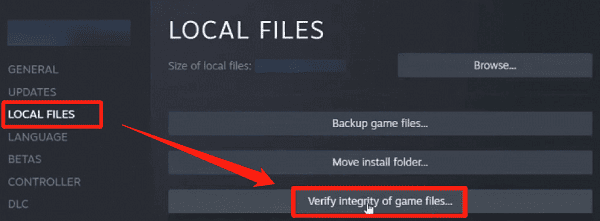
Fix 1: Verify ARC Raiders Game Files
Open Steam.
Navigate to your Library.
Right-click ARC Raiders.
Select Properties.
Open Installed Files.
Click Verify integrity of game files.
Wait for the verification process to finish.
Fix 2: Lower Graphics Settings
Start by lowering texture quality, shadows, and visual effects.
You can also reduce rendering resolution or enable a supported upscaling option.
Setting a reasonable frame rate limit may help reduce sustained GPU load.
For troubleshooting, use a lower graphics preset and test the game for several matches.
Fix 3: Disable Overlays
Some applications display additional information over games, such as frame rates, notifications, and recording controls.
Although these features are useful, they may occasionally interfere with game stability. Try temporarily disabling unnecessary overlays.
For example, to disable Steam Overlay:
Open your Steam Library.
Right-click ARC Raiders.
Select Properties.
Open the General section.
Disable Enable the Steam Overlay while in-game.
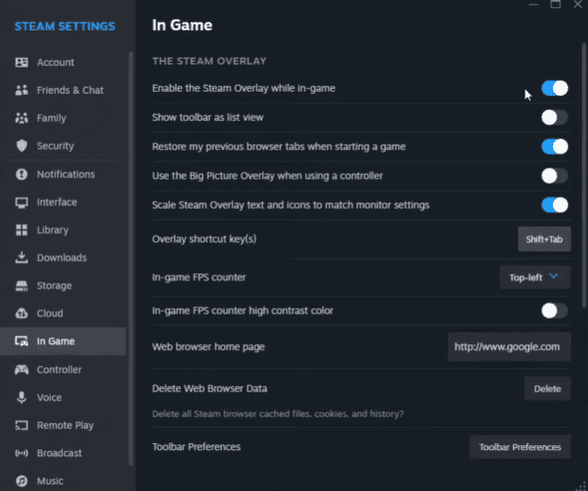
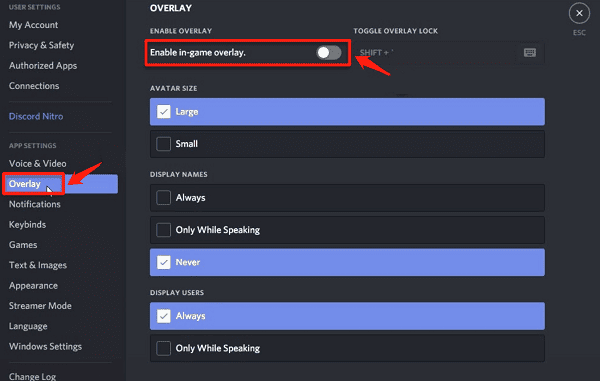
You can also disable Discord Overlay and unnecessary GPU performance overlays.
Fix 4: Check RAM and Virtual Memory
Insufficient available memory can contribute to game instability, particularly when several demanding applications are running simultaneously. ARC Raiders requires at least 12 GB RAM, while 16 GB is recommended. Even if your PC meets these requirements, background applications may consume memory needed by the game.
Open Task Manager and select the Performance tab.
Check your RAM usage while ARC Raiders is running.
If memory usage is consistently high, close unnecessary applications and browser tabs.
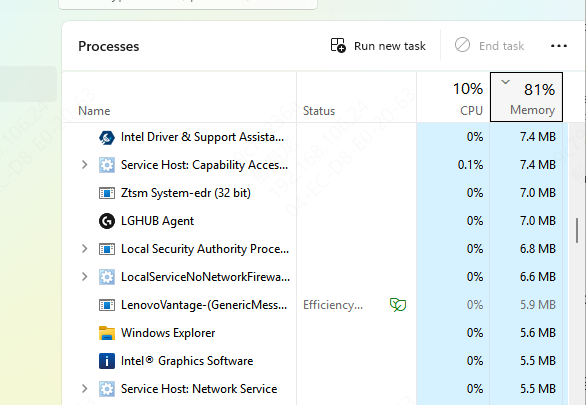
You should also check whether Windows virtual memory is enabled.
Press Windows + R.
Type sysdm.cpl and press Enter.
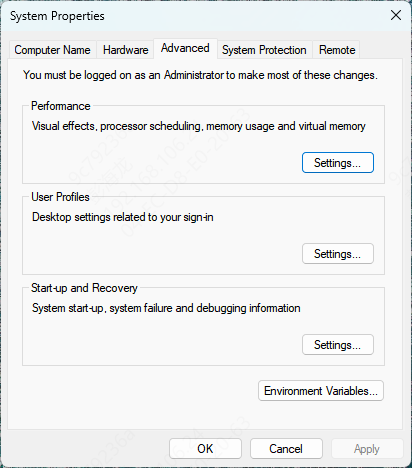
Open the Advanced tab.
Under Performance, select Settings.
Choose Advanced > Virtual memory > Change. Enable Automatically manage paging file size for all drives, if appropriate.
Fix 5: Update Your Graphics Drivers
Graphics drivers are essential for communication between Windows, the GPU, and modern games. An outdated or incompatible driver can cause ARC Raiders to freeze, display graphical errors, or close unexpectedly. Embark Studios also recommends checking graphics drivers when investigating PC crashes.
Driver Talent X provides an automated way to check for certain outdated, missing, or problematic Windows drivers.
Download Driver Talent X.
Install and launch the software.
Click Scan to check your computer.
Review the detected graphics driver issues.
Install a compatible update if available.
Restart your computer and launch ARC Raiders again.
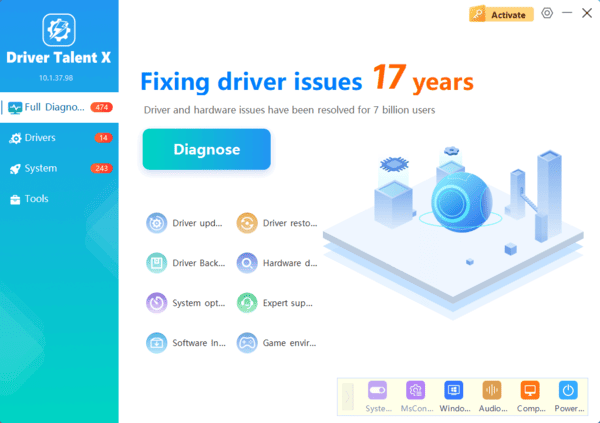
Driver Talent X may help identify supported driver problems, but it cannot guarantee a solution for crashes caused by game bugs or hardware instability.
Fix 6: Update Windows
Outdated Windows components can sometimes cause compatibility problems with modern games. ARC Raiders also relies on DirectX 12 and other system components to operate correctly.
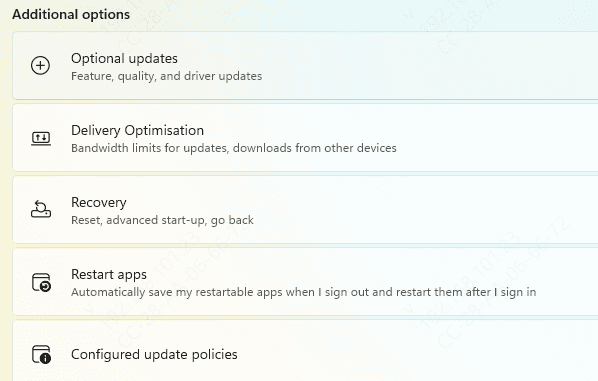
Open Settings.
Select Windows Update.
Click Check for updates.
Install applicable updates.
Restart your computer.
Frequently Asked Questions
Why does ARC Raiders crash even when my PC meets the system requirements?
Meeting the requirements does not guarantee stability. Corrupted game files, driver conflicts, background software, overheating, or unstable overclocking can still cause crashes.
Can GPU overclocking or undervolting cause crashes?
Yes. Settings that work in other games may become unstable under a different workload. Temporarily restore your GPU's default settings and test again before making further changes.
What information should I include when reporting persistent crashes?
Include your Windows version, CPU, GPU, RAM, graphics driver version, and any error message. Describe when the crash occurs and list the troubleshooting steps already attempted. Attach crash logs if the support team requests them.
By identifying when crashes occur and testing potential causes systematically, you can improve game stability and reduce unexpected interruptions.