

Fix fatal crashes in The Elder Scrolls IV: Oblivion Remastered during startup, save loading, combat, or fast travel. This guide covers graphics driver updates, game file verification, mod conflicts, runtime components, compatibility settings, performance optimization, and clean reinstallation methods.
I. Common Crash Symptoms
Game crashes to desktop or becomes unresponsive on launch
Black screen or crash within minutes after starting
Error when loading saves: "Oblivion has stopped working"
Frequent crashes after installing mods, showing "Fatal Error" or memory overflow
Crashes when changing scenes or using fast travel
II. Common Causes of Game Crashes
Mod conflicts or incorrect load order
Incompatible or outdated OBSE (Oblivion Script Extender)
Outdated graphics drivers or overly high graphics settings
Corrupted game files or incomplete installation
Game not running with administrator privileges
Missing runtime components (DirectX 9, VC++ Redistributables, etc.)
III. Recommended Fixes
Method 1: Verify Game File Integrity
Open the Steam client.
Go to Library > Right-click the game > Properties.
Under the "Local Files" tab, click "Verify integrity of game files".
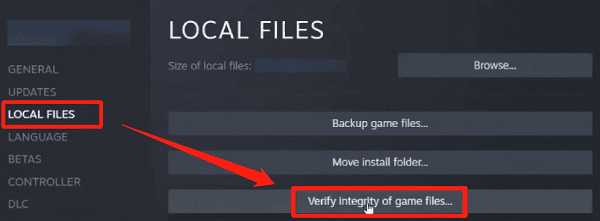
Let Steam automatically repair the files.
If your game is not installed via Steam, a clean reinstall may be necessary.
Method 2: Run the Game as Administrator
Right-click the game shortcut > Properties.
Go to the "Compatibility" tab and check "Run this program as an administrator".
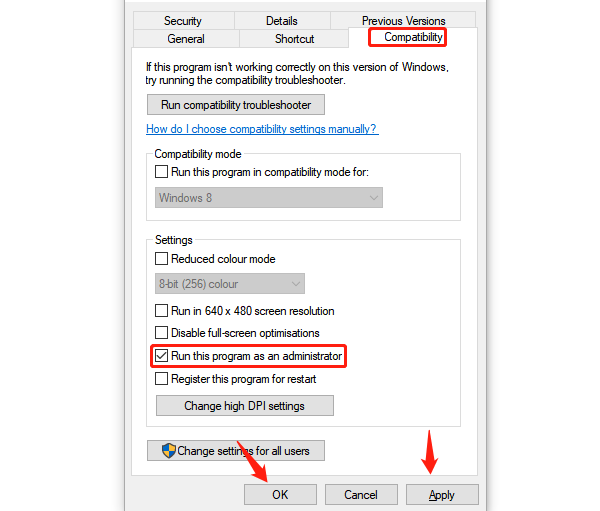
Click "Apply" and "OK" to save changes.
Method 3: Install Latest OBSE Version
Visit the official OBSE website.
Download the OBSE version matching your Oblivion build.
Extract and copy the .dll and .exe files into the Oblivion installation folder.
Launch the game via obse_loader.exe.
Method 4: Update Graphics Drivers
Outdated or corrupted drivers are a frequent cause of fatal errors. To simplify the process, use Driver Talent X, a driver management tool that minimizes risk of incorrect installations.
Download and install the latest version of Driver Talent X.
Open the software and click "Scan" under the "Drivers" tab.
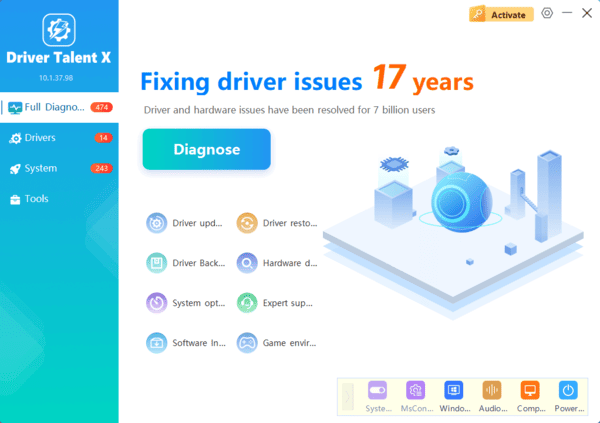
Locate your graphics driver in the results and click "Upgrade".
Restart your computer after the update.
Method 5: Install Required Runtime Libraries
Ensure the following components are installed:
DirectX End-User Runtime
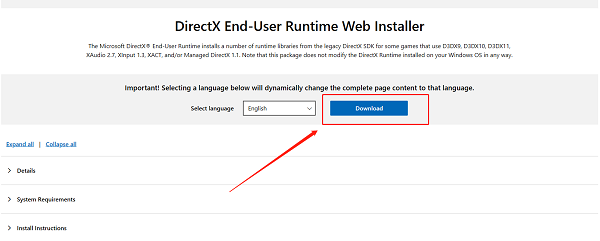
Microsoft Visual C++ Redistributables (2005–2015)
.NET Framework 4.5 or higher
Method 6: Optimize In-Game Settings
Lower Graphics Settings:
Open the game menu and go to "Settings" or "Options":
Texture Size: Medium or Low
Anti-Aliasing: Off or 2x
Shadow Quality: Low or Off
View Distance: Slightly reduced
Grass Density: Medium or Low
Disable Extra Effects:
Turn off Motion Blur
Turn off Depth of Field
Turn off Ambient Occlusion
Adjust Display Mode:
Enable "Windowed Mode"
Or switch from "Fullscreen" to "Borderless Window" for better stability
IV. Backup Plan: Reinstall the Game
If none of the above methods work, try the following:
Back up your save files (found in My Documents\My Games\Oblivion\Saves)
Uninstall all mods and remove leftover files
Reinstall a clean version of Oblivion
Re-add mods one by one to check for conflicts
Fatal crash errors in The Elder Scrolls IV: Oblivion Remastered are common, but most issues can be resolved by updating drivers, verifying game files, and managing mods properly.
For complex crash scenarios, check gaming forums or the NexusMods community for advice, or take a screenshot of the error and seek expert help.
